SorterOS — Operate
Preparing LEGO for a sort run
How-to guideWhat to take out of a tub of bulk LEGO before it goes in the bulk bucket, and what each thing does to the machine if it stays in.
A working house standard, not a published specification. Basically has not published a list of parts the machine will and will not take. This page is written from failures builders have reported and from what the software does with a part, so treat it as a starting point and adjust it to what your own machine stops on.
The machine does not check a piece before it feeds it. Nothing in the feeder sets oversized or awkward parts aside, so whatever goes in the bulk bucket is what the machine tries to sort. A tub is prepared by hand first.
This is worth a few minutes per tub. One stuck piece stops every piece behind it.
The size limit
The machine handles a piece up to 80 mm in any direction.
A LEGO stud is 8 mm across, so 80 mm is ten studs. Count studs instead of measuring:
- A 2x10 brick fits.
- A 2x12 brick does not.
- A Technic beam with ten holes fits. A longer one does not.
- A 10L axle fits. A longer one does not.
A piece over the limit does not fall through a channel cleanly. It bridges the channel, or it wedges on the way into the chute, and everything behind it stops.
Ten studs is the feed side, and the layer a piece is sorted to is tighter. A half-size layer takes 8 studs, a third-size layer 6, so on a machine whose layers are all third size six studs is the working limit for the tub. Which bin a box lands in has the detail and what it means for your sorting profile.
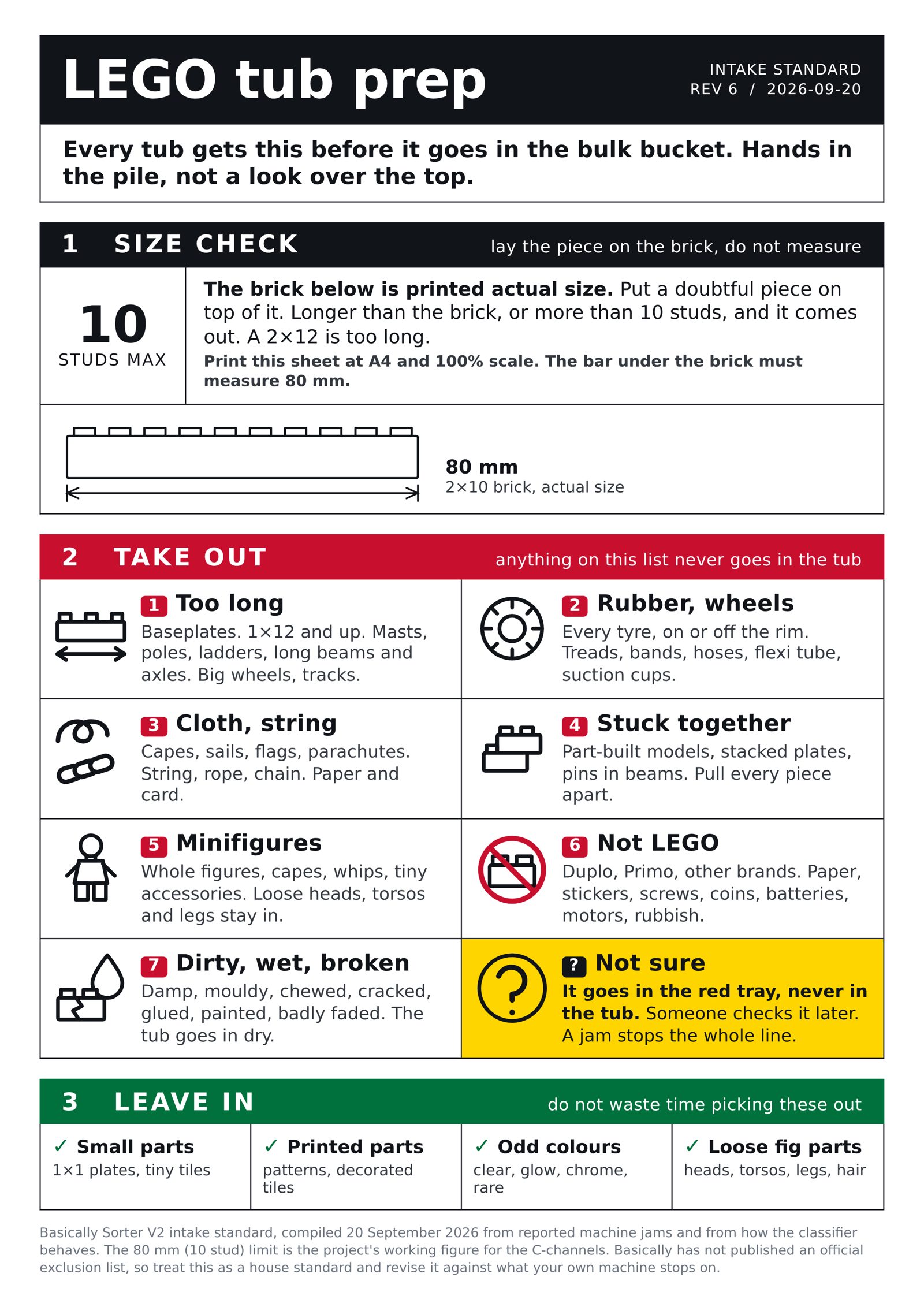
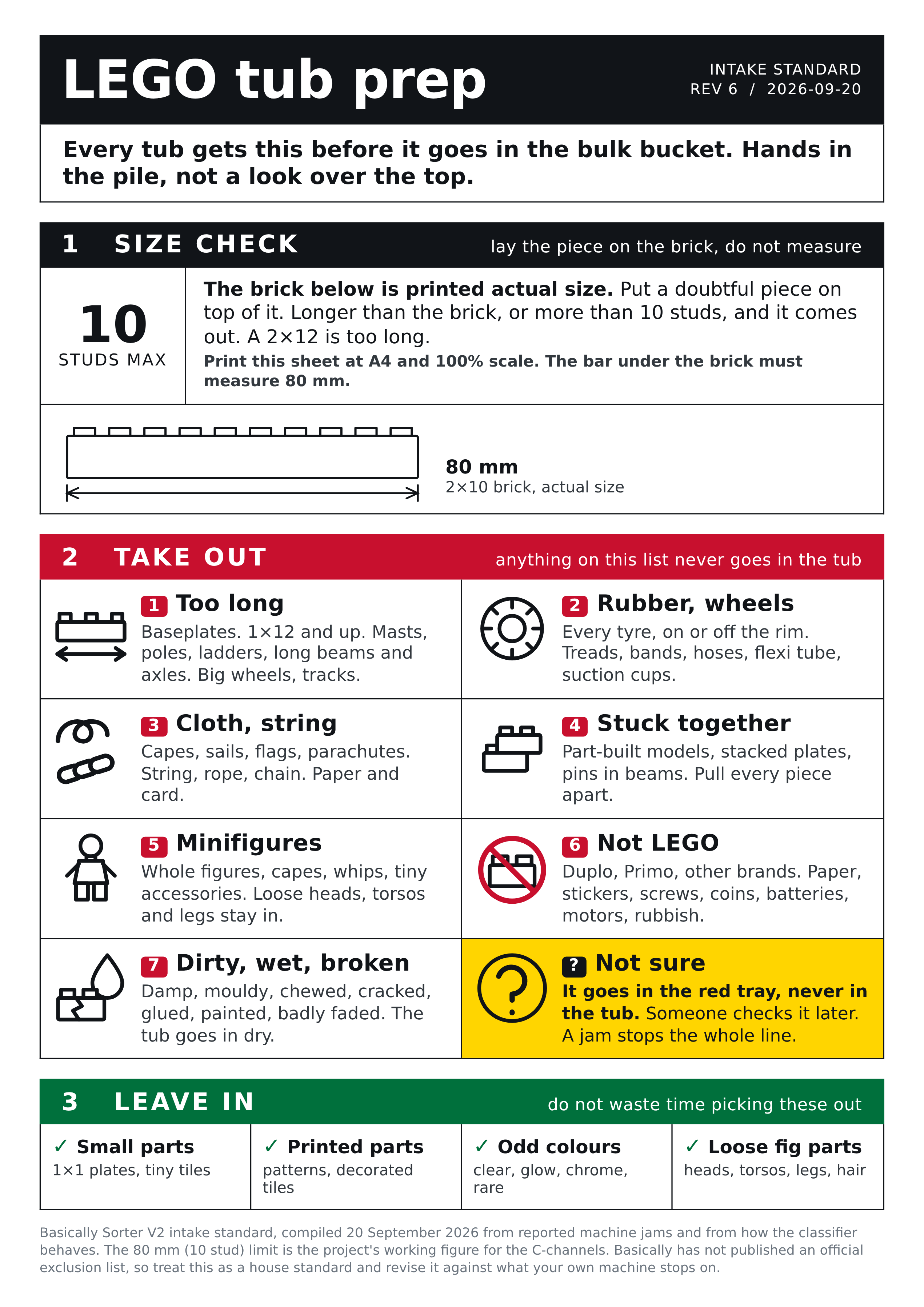
The one-page sheet at the bottom of this page carries a life-size 2x10 brick, so a doubtful piece can be laid straight on top of it instead of counted.
What to take out
Pieces over ten studs
Baseplates of every size. Long plates, bricks and tiles. Boat hulls, wings, masts, aerials, long poles and ladders. Long Technic beams, liftarms, axles and flexible tubing. Large windscreens and canopies. Large wheels and tank tracks.
Tyres, wheels and rubber
Every tyre, loose or still on its rim. Rubber tank treads, rubber bands, hoses, flexible tubing, suction cups and rubber axle connectors.
Rubber grips where plastic slides. A tyre carried around a channel is pushed by the turning rotor against the fixed outer wall, and instead of sliding on it stalls there. It does not drop out of the channel on its own. This is the most frequently reported way a machine stops.
Take the whole wheel out. If you pull the tyre off the rim, the bare rim is an ordinary part and can go back in.
Cloth, string and chain
Capes, sails, flags, curtains, sleeping bags and parachutes. String and rope. Chain. Paper and card.
These tangle, with each other and with ordinary parts. The cameras read a tangle as a single object, and nothing in the machine pulls one apart.
Pieces still joined together
Part-built models. Stacked plates. Bricks pressed together. Pins pushed into beams. A wheel on a hub.
Every piece has to arrive on its own. Two pieces joined together are photographed as one object, and no such object exists in the catalog, so the machine cannot name it. Pull them apart before they go in the tub.
Minifigures
Whole figures, capes, whips, and accessories smaller than a fingernail.
Two separate reasons. The soft accessories behave like the cloth and string above. Whole figures are a different matter: the classifier does recognise an assembled figure, but no one has reported running figures through a machine, so how one travels through the channels is unknown. Figures are also usually the most valuable thing in a tub, which is its own reason to set them aside for a person.
Loose minifigure heads, torsos, legs, hats and hair are ordinary rigid parts. Leave those in.
Rubbish, or Primo, Duplo and other brands
Anything that is not LEGO at all: paper, stickers, packaging, coins, screws, batteries and dirt. Duplo and Primo. Other brick brands.
Duplo and Primo are a firm exclusion rather than a preference. The software throws away any identification in those two categories, so a Duplo brick can never be named, whatever the camera sees. It occupies the machine for its full classification timeout and then goes to the misc bin.
Dirty, damaged or damp pieces
Chewed, cracked, glued, painted, mouldy or badly faded pieces. Anything damp.
A piece is identified from a photograph of it, so dirt and damage change what the machine sees and it files the piece wrongly. Damp pieces stick to each other and to the rotor. The tub goes in dry.
What to leave in
These are all in scope, and picking them out wastes time:
- Small parts, down to 1x1 plates and tiny tiles.
- Printed and decorated parts. The classifier covers printed parts.
- Transparent, glow, chrome, metallic and rare colours.
- Loose minifigure heads, torsos, legs, hats and hair.
Some small flat pieces are still hard to name, because the classification channel photographs a piece from above only and a small tile's identifying detail is often underneath. Those pieces go to the misc bin. That costs one slot in a bin, not a stoppage, and it is not a reason to pre-sort them out.
Where the pulled pieces go
Use one tray for everything that comes out, and have someone go through it afterwards rather than deciding at the tub. Anything a person is unsure about goes in the same tray. A wrong guess into the tub can stop the machine; a wrong guess into the tray costs nothing.
The one-page sheet
Box labels
Everything pulled out has to go somewhere, and a box with a label on it is faster to aim at than a list on a wall. This second sheet is the same seven icons plus the ask-someone one, sized to cut out and stick on a box or a tray.
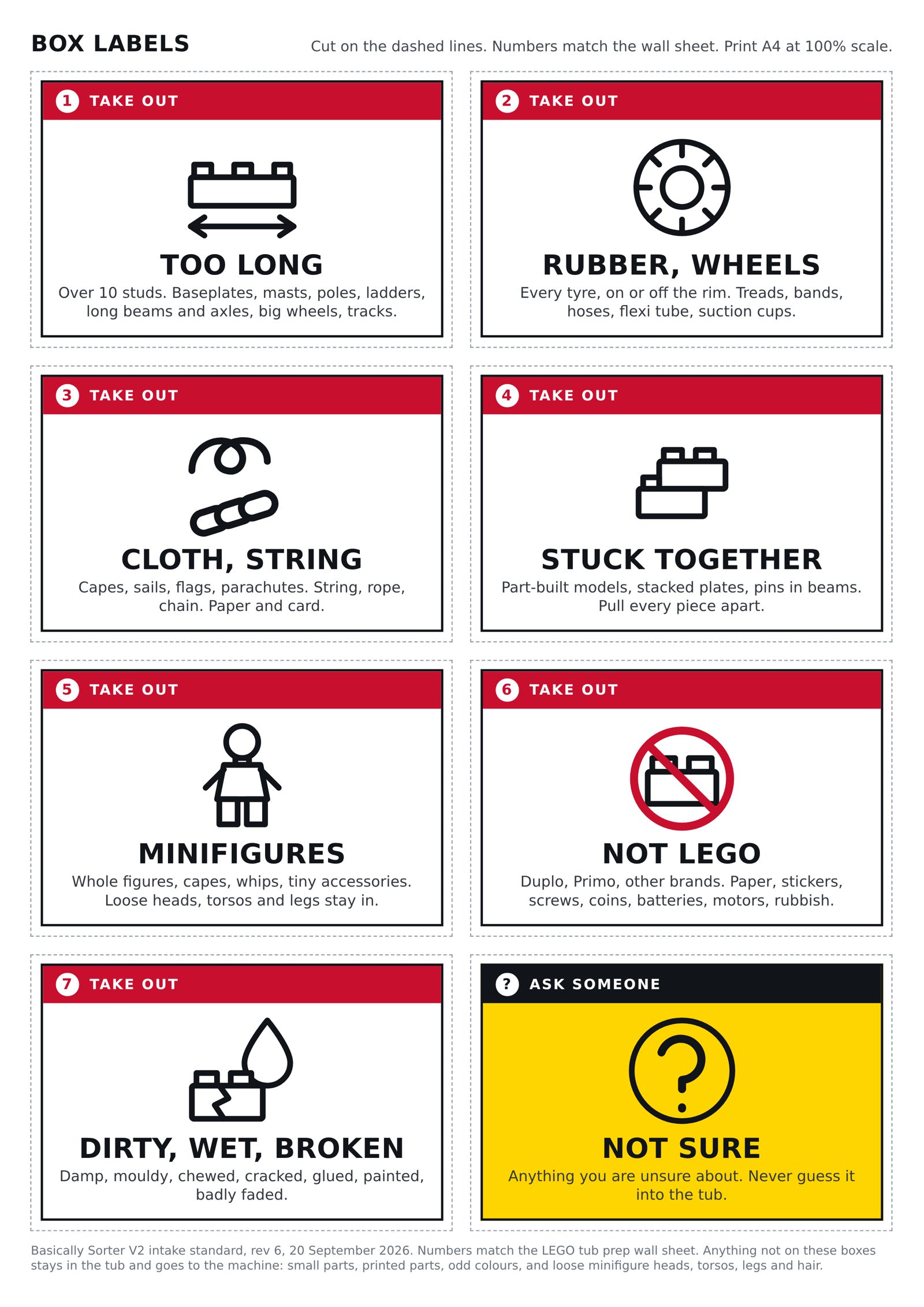
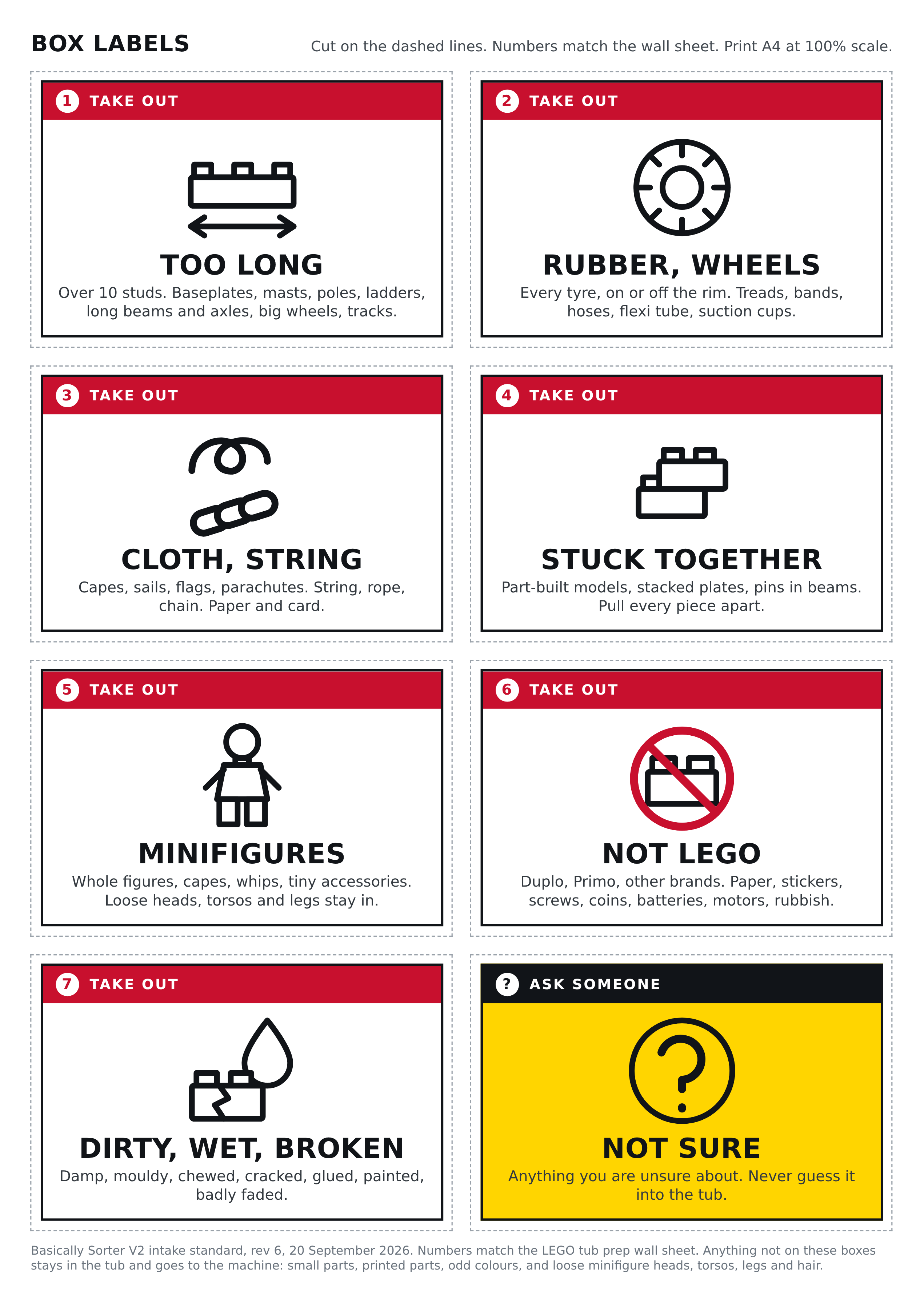
Anything not named on one of those boxes stays in the tub and goes to the machine.
Next
Before your first sort run covers the machine side, and Your first sort run walks a prepared tub through it.